
Getting started
How do I sign in to the Agent Portal?
Sign in to the Agent Portal with your mobile number and a 6-digit code we text you. There's no password to remember or forget.
Before you start
Use the mobile you signed up with, or the one your agency invited. The Agent Portal knows you by your mobile, not your email.
-
On the Agent Portal sign-in page, enter your mobile under Mobile number.
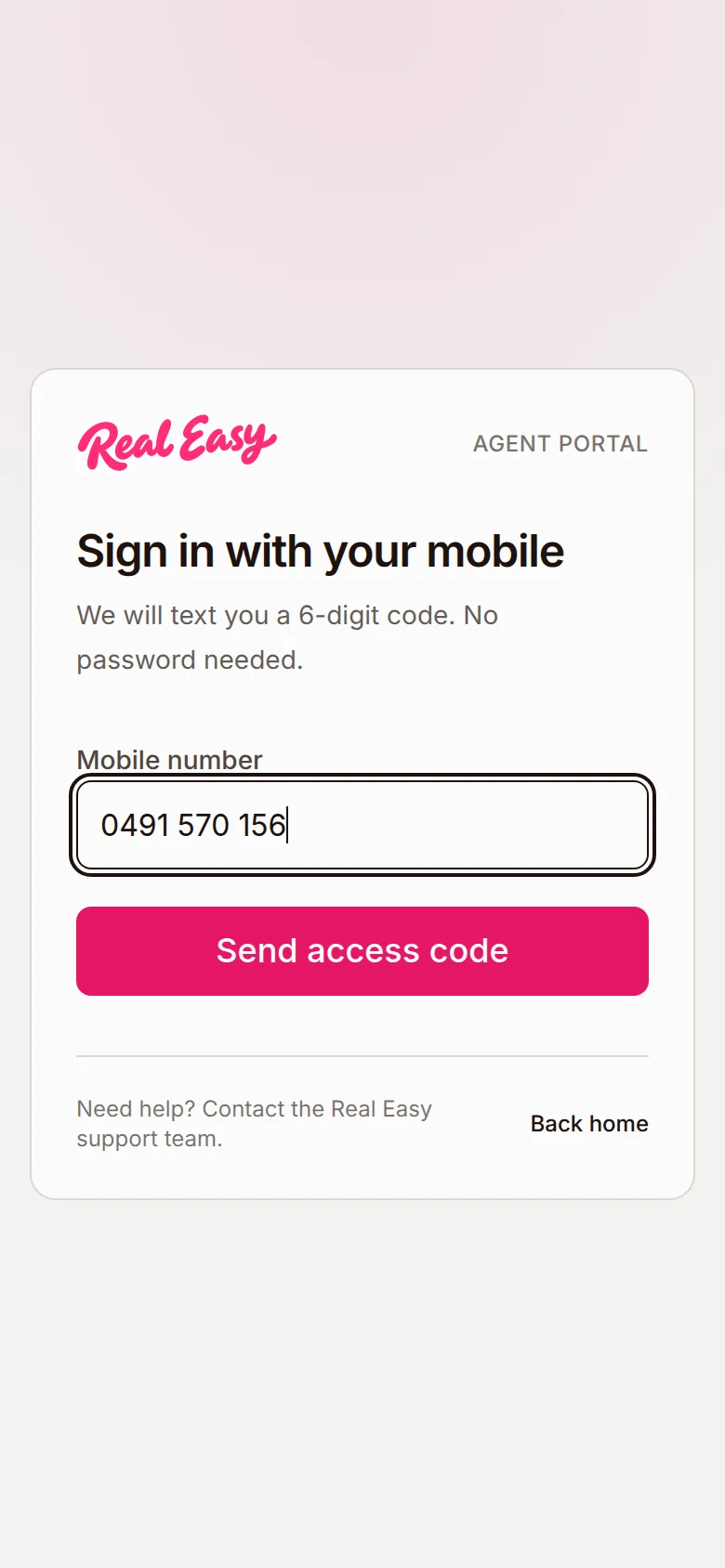
Sign in with your mobile, with your number under Mobile number. -
Tap Send access code.
-
Enter the 6-digit code from the text under Verification code.
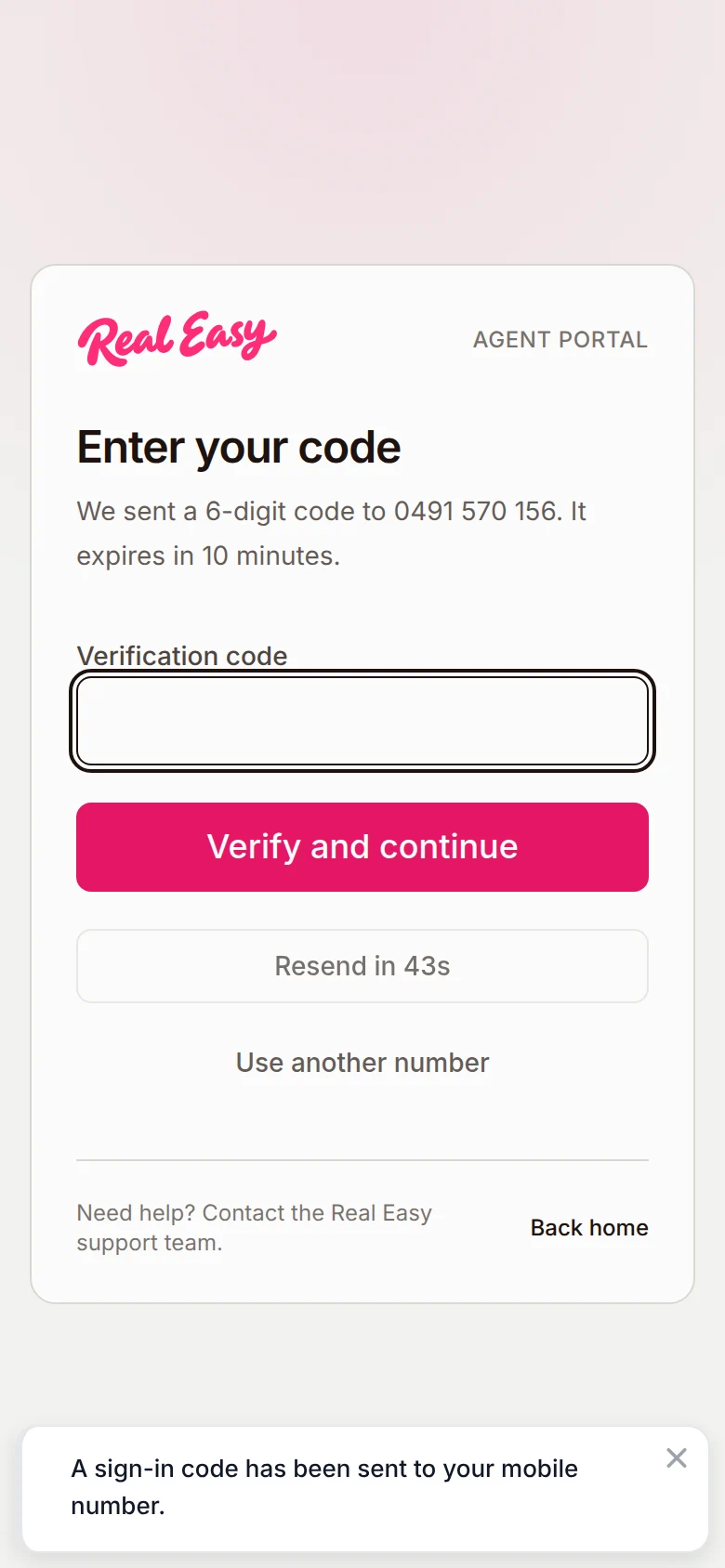
Enter your code, with the 6-digit code going under Verification code. -
Tap Verify and continue.


What happens next
You land on your Home page, unless the Agent Portal needs something from you first, such as finishing your set-up after an invitation. To sign out, see Sign out.
Good to know
My code didn't arrive. What now?
Tap Resend code. You can ask for a new code every 45 seconds, and the button counts down until you can. Typed the wrong number? Tap Use another number.
Why does it say my code has expired or isn't correct?
A code lasts 10 minutes and allows 5 tries. For "That code is not correct", check the digits. For an expired code or "Too many attempts", tap Resend code for a fresh one.
What if it tells me to contact support?
If the sign-in page says to contact support, you can't fix it from your phone. Email us at [email protected] and we'll sort it out.